Notion vs Obsidian for Planning Your Week: Which One Fits?
Notion vs Obsidian, judged only for planning a week: calendar views, recurring tasks, phone use and three-year cost, plus when Obsidian is the better pick.
By Ultimate Notion Planner by Cosmo Suite · Editorial policy
Published · 8 min read
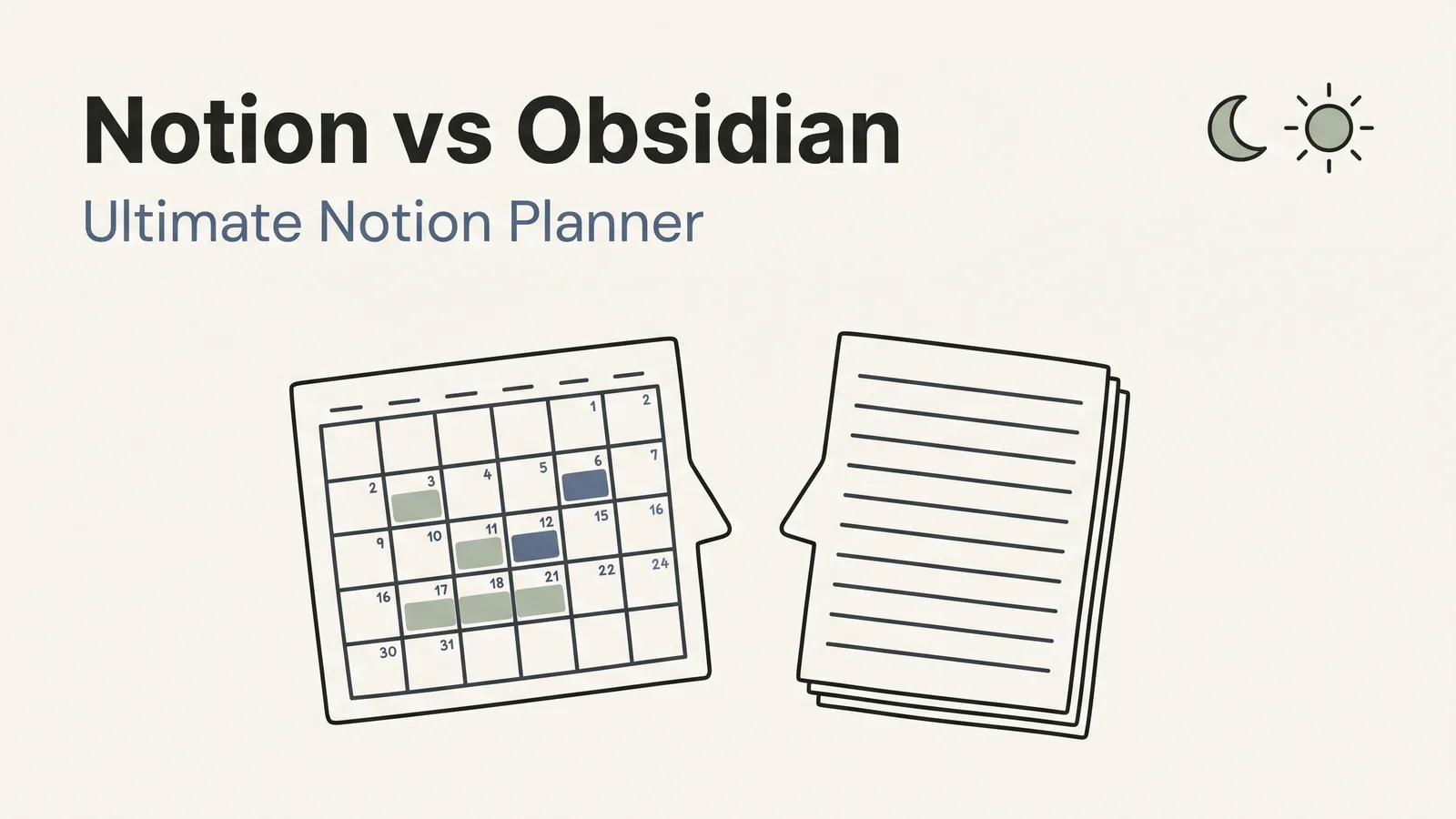
You have a job, a calendar that fills up on its own, and a notes app you half trust. Someone told you Obsidian is free and fast. Someone else said Notion does everything. You want to plan next week without a month of setup.
If you plan by time (appointments, fixed hours, a week that moves), pick Notion. If you plan by writing (notes, ideas, a daily page you type into), pick Obsidian. Most comparisons judge them as note-taking tools. This one judges only how well each plans a week.
Quick Answer
- Notion has a built-in calendar view for any list with dates; Obsidian's core features have no calendar view.
- Obsidian is free and works offline by default. Notion's Free plan is enough for one person, and offline use needs its desktop or mobile apps.
- For a week built around appointments, Notion is the shorter route. For a notes-first daily page, Obsidian is.
Notion and Obsidian Do Different Jobs
Notion is a workspace where pages and lists live online and you look at the same list in different ways: a table, a board, a calendar. Obsidian is a notes app that stores plain Markdown files in a folder on your computer, and it grows through plugins. Both can plan a week. They start from opposite ends.
Notion starts from the list and adds notes. Obsidian starts from the note and adds structure. A planner is mostly dated structure: this appointment on Tuesday, that task by Friday. That is why Notion tends to fit people who need the calendar. It is also why a Notion planner with the calendar already wired is a shorter path than assembling the same thing from plugins.
The useful question is not which app is more powerful. Where does your week live today? If it is mostly meetings and appointments, you need views of dates. If it is mostly thoughts and to-do lines, you need a place to type fast.
Which One, for Whom
Pick by how you plan, not by feature count. The table below judges only planning.
| For planning | Notion | Obsidian | Better for planning |
|---|---|---|---|
| Month calendar view | Built in; needs a Date property | Not in core; community plugin | Notion |
| Daily page | Template you duplicate | Daily notes core plugin | Obsidian, slightly |
| Recurring tasks | Repeating database templates | Tasks plugin handles repetition | Tie |
| Works offline | Desktop and mobile apps, not the browser | Yes, by default | Obsidian |
| Phone | iOS and Android apps | iOS and Android apps | Tie |
| Cost for one person | Free plan available | Free app | Tie |
| Setup from nothing | A few evenings, or a template | Fast to start, plugins to find | Depends |
Notion wins where dates need to be seen: month, week and day from one list. Obsidian wins on speed and on keeping your files. Nothing here is a knockout, so "which is better" depends on how you plan.
Dates and Calendar Views
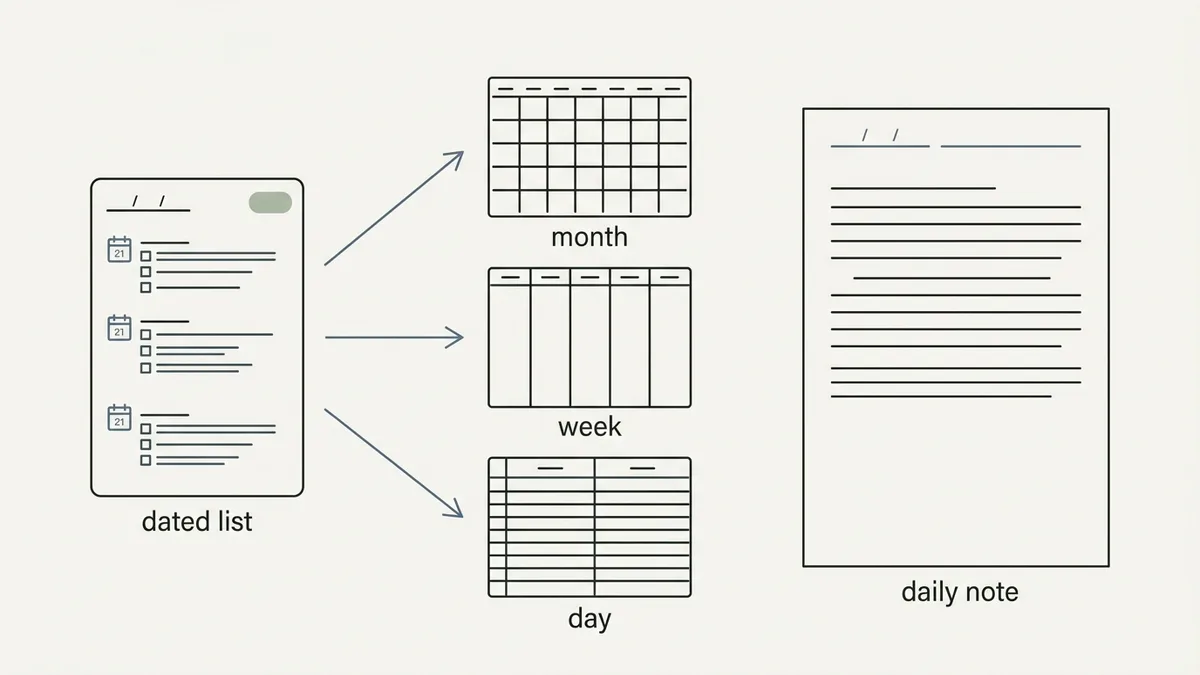
A calendar view is a month grid built from a list of dated items. Notion draws one from any list that has a date column, and that is the main reason it suits a calendar-heavy week. According to Notion's help center, a calendar view needs a Date property in your database, and it then shows how items connect to dates. Add the dentist once and it appears on the month, the week and the day when each view reads the same list.
Obsidian handles dates differently. Its Daily notes core plugin creates and opens a note based on the current date (per Obsidian's plugin docs), which is great for a running log. Its Bases core plugin gives you database-style views of your notes: table, list, cards, kanban and map (Obsidian Help: Bases). A calendar grid is not on that list, so a month view means adding a community plugin and trusting it to keep working after updates.
That does not make Obsidian bad at dates. It makes it a different tool: dates are note titles, not values you can lay out on a grid. If you check your week by glancing at a month, that difference decides it.
For a deeper walkthrough of how the three planning levels share one calendar, see this guide to setting up a Notion planner tonight.
Recurring Tasks and Reminders
Both apps can repeat tasks, with some assembly. In Notion you set a database template to Repeat daily, weekly, monthly or yearly, with a start date and time, according to Notion's help page on database templates. That creates a new page on schedule, which works well for a weekly review or a monthly bill check.
In Obsidian, the Tasks plugin supports due dates and recurring tasks, and it updates the source file when you tick one off. It is a plugin, so you install it and learn its syntax: tasks are lines of text with a repeat rule written in.
Neither is a reminder app. For something that has to buzz your phone at 7:00, your calendar app does that job better than either note tool. Link to it from either planner instead of replacing it.
Phone and Offline
Offline is where Obsidian is simplest. It stores your notes as Markdown files in a vault, a folder on your computer, so it works offline by default (per Obsidian's data docs). It runs on Windows, Mac, Linux, iOS and Android. Syncing between devices is your choice: Obsidian Sync is Obsidian's paid service for keeping a vault the same on every device, and it costs $4 a month billed yearly or $5 monthly, or you can use a service you already have, such as iCloud or Dropbox.
Notion works offline too, with conditions. On Notion's help page, all plans can use pages offline in the desktop and mobile apps, but not in a web browser. Free plan users download pages by hand, and paid plans download recently visited and favorited pages automatically. Embeds, forms, buttons and AI blocks need a connection.
So if you plan on a train or a plane, Notion needs one step of preparation on the Free plan and Obsidian needs none. If you only plan at home, the difference rarely matters.
What Each Costs Over Three Years
For one person, both can cost nothing. Obsidian's pricing page says the app is free without limits and needs no sign-up. Notion's Free plan covers one person; its Plus plan (Notion pricing) was listed at €9.50 per member a month or €114 a year when we checked on 5 October 2026, in the currency the page showed us.
| Setup | Year 1 | Over 3 years |
|---|---|---|
| Obsidian, files synced through a service you already pay for | $0 | $0 |
| Obsidian plus Sync, yearly billing | $48 | $144 |
| Notion Free plus a $9 one-time template | $9 | $9 |
| Notion Plus, yearly billing | €114 | €342 |
The Obsidian figures use the listed $4 a month billed yearly. Notion's yearly figure is in euros because that is what the page showed, so don't add the columns together. The cheapest planning setups in both apps are free, and a paid plan only pays off when you need what it adds.
Where Obsidian Is Better
Obsidian is the better pick in three situations, and we would tell you so even though we sell a Notion product.
- You plan by writing. If your best planning is a page you type into each morning, Daily notes is faster than any template, for example a one-line plan typed in under a minute.
- You want your files. Plain Markdown in a folder means no export step, ever. Notion's pages live in your Notion account.
- You are offline a lot. Obsidian needs no preparation to work without a connection.
If two of the three describe you, start with Obsidian and keep your calendar in Google Calendar or your phone. You will lose the month grid and gain speed.
Plan One Tuesday in Each
Here is the same Tuesday in both: the gym at 7:00, work from 9:00 to 17:00, a dentist at 12:30 and groceries at 17:45.
In Notion: the four items are rows in one dated list. They show on the month grid, in this week's view and on today's page. Move the groceries to Wednesday and all three views change.
In Obsidian: today's daily note holds a checklist with the four lines. The week is a note you write or query with a plugin, and the month grid is not part of core. Moving the groceries means editing the line, or the tag, in the place you wrote it.
Both work. The Notion version is one list shown three ways; the Obsidian version is text you shape yourself. Pick the one that matches how you already think about a Tuesday.
Why Trust This Article
This guide is written by the Cosmo Suite team, which sells the Ultimate Notion Planner, so read the product section with that in mind. Methodology: every Notion and Obsidian fact above comes from the app's own pricing, help or download page, read on 5 October 2026 and listed in the sources. We judged each app only for planning a week, and prices and limits change, so verify them before you pay. How we write and check posts is on our editorial policy page, who we are is on the about page, and corrections go through our contact page.
How the Ultimate Notion Planner Fits In
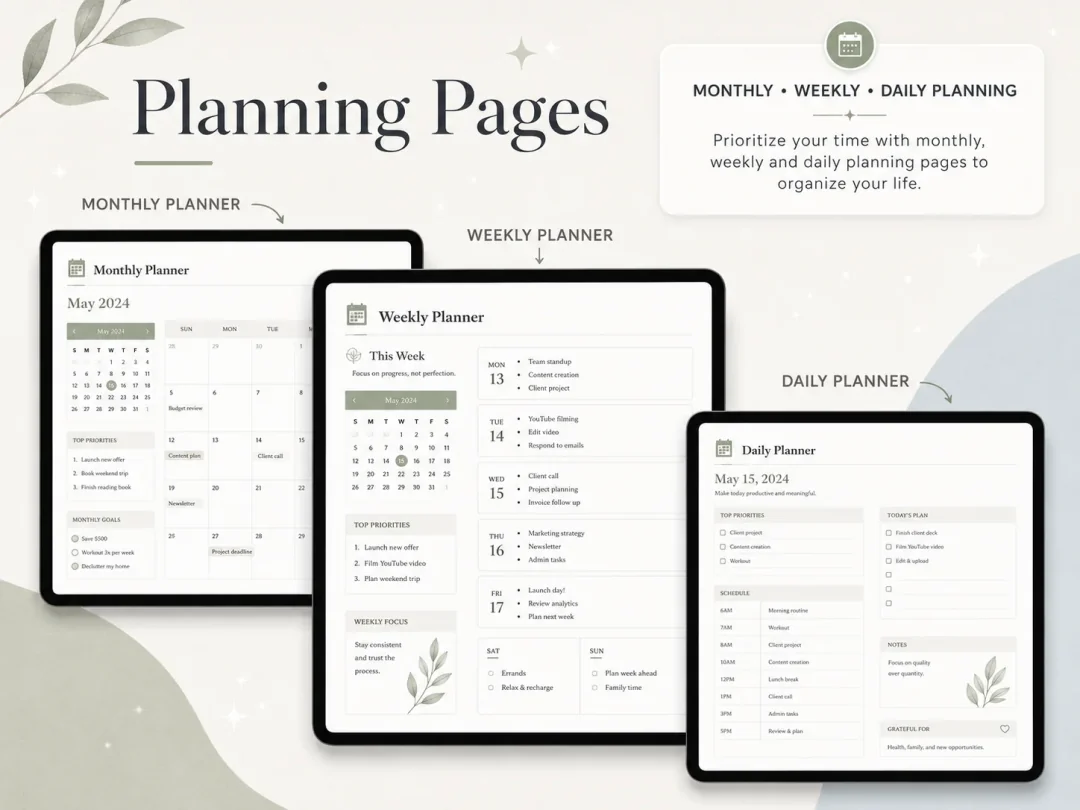
If you chose Notion, the slow part is wiring the month, week and day pages to one calendar.
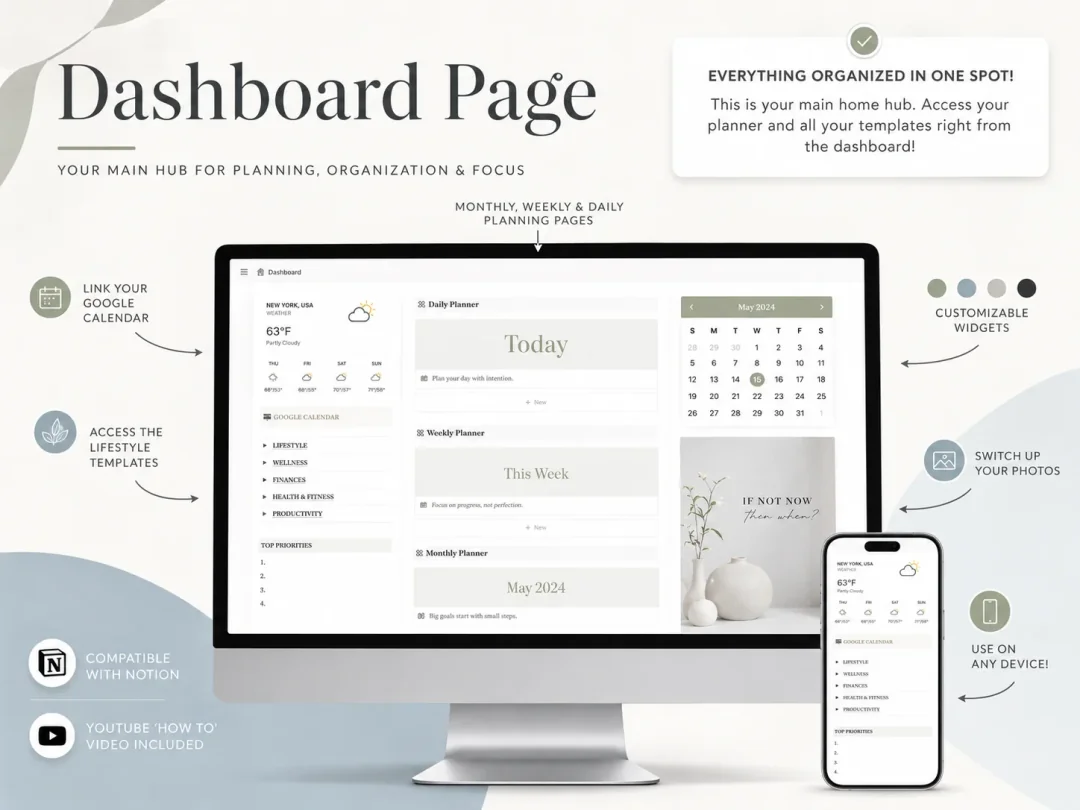
The Ultimate Notion Planner is a Notion template you duplicate into your own free Notion account. It comes with:
- A central dashboard hub with a monthly calendar.
- Daily, weekly and monthly planning pages, linked from the dashboard.
- A master to-do list, events and appointments, and a grocery list.
- Goal tracking, a weekly habit tracker and wellness pages.
- Finance and productivity trackers.
- Light and dark themes, plus a setup guide and a YouTube tutorial.
Your Google Calendar connects through a link on the dashboard. It is a link, not a two-way sync. The planner costs $9 once, and you use it inside Notion's free plan. If you want the calendar wired before your first evening, get the Notion planner with month, week and day pages ready.
Frequently asked questions
Is Obsidian better than Notion for planning?
Only if you plan in plain notes and enjoy adding plugins. Obsidian is free and fast with daily notes, but it has no built-in calendar view. Notion gives you a calendar view for any dated list out of the box, which suits a week with appointments.
Is Obsidian free?
Yes. The app itself is free without limits and needs no sign-up, according to Obsidian's pricing page. Paid extras are optional: Sync is $4 a month billed yearly or $5 monthly, and Publish is $8 a month billed yearly.
Can Obsidian show a calendar?
Not from its core features. Obsidian's Bases plugin offers table, list, cards, kanban and map views, and Daily notes creates a note for each date. A month grid needs a community plugin, which you install and keep updated yourself.
Does Notion work offline?
Yes, in the desktop and mobile apps, but not in a web browser. On the Free plan you download pages by hand, while paid plans download recent and favorited pages automatically. Embeds, forms and buttons need a connection.
Can I use Notion and Obsidian together?
Yes. Many people keep long notes and research in Obsidian and run their calendar, tasks and weekly plan in Notion. Just pick one place for dates, or you will end up checking two apps to find tomorrow.
What is the fastest way to start planning in Notion?
Duplicate a planner that already has month, week and day pages tied to one calendar and plan only tomorrow. The Ultimate Notion Planner is built that way, so your first evening goes into your own events instead of layouts.
