Google Calendar Alternatives for Privacy, Home and Work
Google Calendar alternatives for a more private schedule, shared family plans, or a calmer work week. Compare five options and test before moving events.
By Ultimate Notion Planner by Cosmo Suite · Editorial policy · Last updated
Disclosure: we make Ultimate Notion Planner, one of the two products compared here. Facts about Google Calendar come from its public pages, linked with the day we checked them.
The short answer
Keep Google Calendar if the problem is only its layout. Try Apple Calendar for an Apple-first setup, Proton Calendar for encrypted events, Outlook for Microsoft sharing, Fantastical for a different calendar app, or Cozi for a household schedule. Test a copy of your week before moving everything.
Feature comparison
| Feature | Ultimate Notion Planner | Google Calendar | Notes |
|---|---|---|---|
| Stores calendar events and supports sharing | No | Yessource | The planner is organised around a manual Google Calendar link; Google Calendar stores events and provides sharing controls. |
| Month, week and day planning pages | Yes | Partialsource | Google Calendar has month, week and day views. The planner adds separate planning pages around the calendar. |
| Custom planning workspace for goals and habits | Yes | Nosource | The planner includes goal and habit tracking; Google Calendar focuses on events and tasks. |
| Automatic two-way Google Calendar sync | No | Yessource | The planner's connection is a manual URL link. Google Calendar updates events in its own calendar service. |
Pricing
| Product | Price | Checked |
|---|---|---|
| Ultimate Notion Planner | $9 one-time payment | Our current price |
| Google Calendar | Google Calendar is available with a Google Account; verify current account terms.This comparison focuses on personal calendars and account fit, not Google Workspace pricing. | As of · source |
Prices change. Google Calendar's price is as listed on its own pricing page on the day shown; check it there before you buy.
Who should pick which
Pick Ultimate Notion Planner if
- You want month, week and day planning pages around a calendar you already use.
- You want a Notion template that you duplicate into your own workspace.
Pick Google Calendar if
- You want a calendar service with its own sharing, invites and account settings.
- You want a household calendar or a different calendar app for an account you already have.
Where Google Calendar is strong
- Google Calendar supports event invitations, multiple calendars and sharing controls.
- It can stay the source calendar while a compatible app changes how you view it.
- Google appointment schedules provide booking pages for people who need others to choose a time.
You may be looking for a Google Calendar alternative because the screen feels crowded, your schedule has become personal, or everyone at home needs to see the same plans. First decide whether you need a new calendar service or a different app for the account you already use. A calendar-first Notion planner with month, week and day pages can also help when the harder part is organising your week around existing events.
Quick Answer
- Choose Apple Calendar if most of your devices are Apple, Proton Calendar if event privacy is the priority, Outlook if your work already uses Microsoft, or Cozi for a shared household schedule.
- Fantastical is a calendar app that can connect to existing accounts. Trying it does not require moving your calendar service.
- Calendly-style booking pages help other people book time. They do not replace the calendar where you keep your appointments.
- Test a copy of a typical week before you switch the source calendar.
Do you need a new calendar or a new calendar app?
The calendar service stores events and controls sharing. The calendar app decides how you view them. You can change one without changing the other.
A calendar service is where events are stored. A calendar app is how you view them. A booking page is a link where someone can choose an open time.
If you want a less cluttered view, try a compatible calendar app first. Fantastical, for example, can display existing calendar accounts. Google can keep storing the events while another app displays them. Check an app's current account support and paid limits before choosing it.
If privacy or account ownership is the reason you are leaving, move the calendar service itself. Then confirm that invites, sharing and recurring events still work. Google lets you set different access levels when you share a calendar, and you can stop sharing later. Review those settings before making a calendar public or sending a link.
Use a different app for a tidier screen. Move the service when you need different privacy, sharing or account terms. If the week is spread across pages and lists, a ready-made Notion weekly planner is another layer to consider. It does not replace Google Calendar.
Which one, for whom
Use this table to narrow the list by the reason you want to switch. Prices and features were checked on each vendor's official page on 19 October 2026. They can change, and free tiers may have limits.
| Option | Best fit | Published cost note | The trade-off |
|---|---|---|---|
| Apple Calendar | You use iPhone, iPad or Mac and want Apple's calendar experience | Calendar works with iCloud's free 5 GB plan; extra iCloud storage is optional | Best fit inside Apple's setup; check sharing compatibility with people using other services |
| Proton Calendar | You want encrypted event details and a separate privacy-focused service | Free access is available; paid Proton plans add calendar features | Some sharing and collaboration features require a paid plan |
| Outlook Calendar | Your work or household already uses Microsoft accounts | Check the personal or Microsoft 365 plan that matches your account | Sharing can depend on account type and workplace settings |
| Fantastical | You want another app to view accounts you already have | Free tier plus paid Flexibits Premium plans | It changes the interface, not where a connected calendar is stored |
| Cozi | You want one shared family calendar plus household lists | Free plan; Gold is $39/year and Max is $79/year | Family-first features may be more than one person needs |
Apple describes sharing an iCloud calendar with other iCloud users in its Calendar support guide. Proton says event details are end-to-end encrypted and explains its calendar features on its official feature page. For Outlook, check the current sharing rules for your account, because work and school administrators can limit access. Cozi lists its current free, Gold and Max plans.
Use the table to shortlist by account, privacy, household needs and published price. Apple Calendar and Outlook fit best when they match accounts and devices you already use. Proton is the privacy-led option in this group. Cozi suits a household better than a solo task list. Fantastical can give your existing calendars a different view without moving them.
Pick by the reason you want to leave
For privacy: Proton Calendar is the most direct choice here if you want event details encrypted. Its feature page says event titles, descriptions, locations and invitees are protected with end-to-end encryption. Before you switch, check whether the people you share with can use the access method you need. A privacy-focused calendar can still require trade-offs in sharing.
For an Apple-first week: start with Apple Calendar. If your appointments already sync through iCloud on your iPhone and Mac, adding a separate service may create more account settings to maintain. Apple supports inviting other iCloud users to view or edit a shared calendar. If your family uses a mix of devices and accounts, test that sharing flow before moving every event.
For work and shared schedules: Outlook is a sensible option when your work calendar already lives in Microsoft 365 or Exchange. Outlook supports view, edit and delegate permissions in its web version, though a workplace administrator can limit sharing. Keep a personal calendar separate from a work calendar if your employer controls the account.
For a household: Cozi combines a shared family calendar with to-do and shopping lists. The free plan includes those shared tools and is supported by ads. Cozi Gold removes ads and adds features such as mobile month view, calendar search and extra reminders; its current plan page lists Gold at $39 per year and Max at $79 per year. That bundle can fit a family that wants one place for errands and appointments. It may be unnecessary if you only want a cleaner personal month view.
For a different screen: try Fantastical while leaving your calendar accounts where they are. Its free plan works with existing calendars; Flexibits Premium unlocks additional features including scheduling and priority support. The current feature list and pricing page changes the amount by billing selection, so check the displayed rate for your region. This is a calendar app choice, not a move away from Google as the calendar provider.
Run a safe switch test before moving everything
Before you move your main calendar, test five ordinary parts of your week in the new setup. Use a copy or a small set of non-sensitive events. Keep Google Calendar active until the new service displays the right details and reminders.
- A repeating event. Add a weekly appointment and edit one occurrence. Confirm the change does not alter the whole series by mistake.
- An invitation. Accept an invite from someone who uses another calendar service. Check whether replies and updates reach the organiser.
- A shared calendar. Give one trusted person view access, then test whether they see only the detail level you intended. Google supports free/busy, event details and different edit permissions. Avoid public sharing for a private schedule.
- An imported or subscribed calendar. Add a public holiday or school calendar if you rely on one. Check how often it refreshes and whether you can edit those events. Imported calendar links may be read-only.
- The phone and browser view. Open the same week on the devices you actually use. Check notifications, time zones and any calendar that disappears when you switch apps.
A calendar move is complete when the events you need, the people you share with, and the reminders you rely on all work in the new place. Do not delete your Google calendar during the test. Export or retain a copy of important events before you remove an account, and review the new provider's import instructions first.
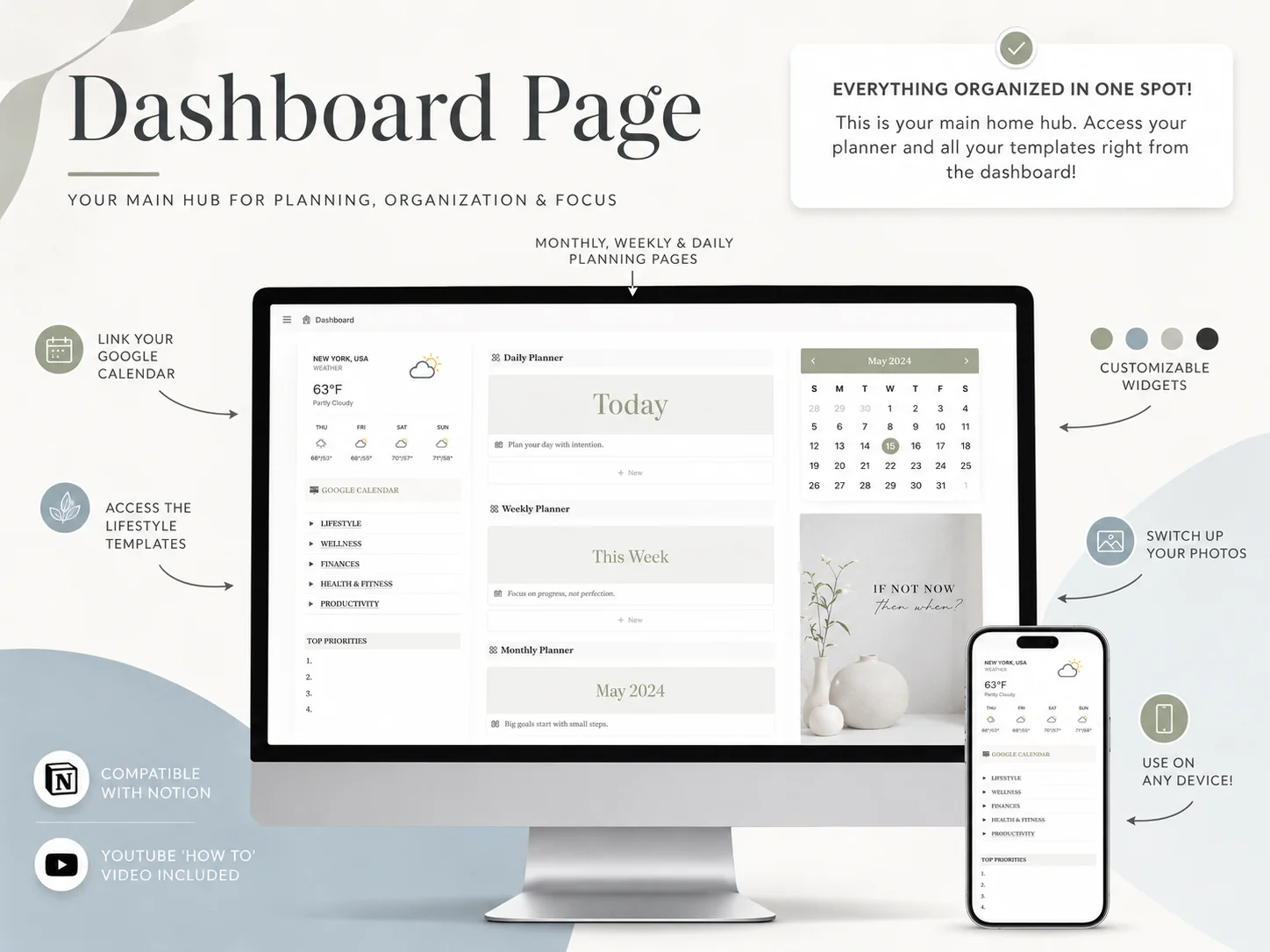
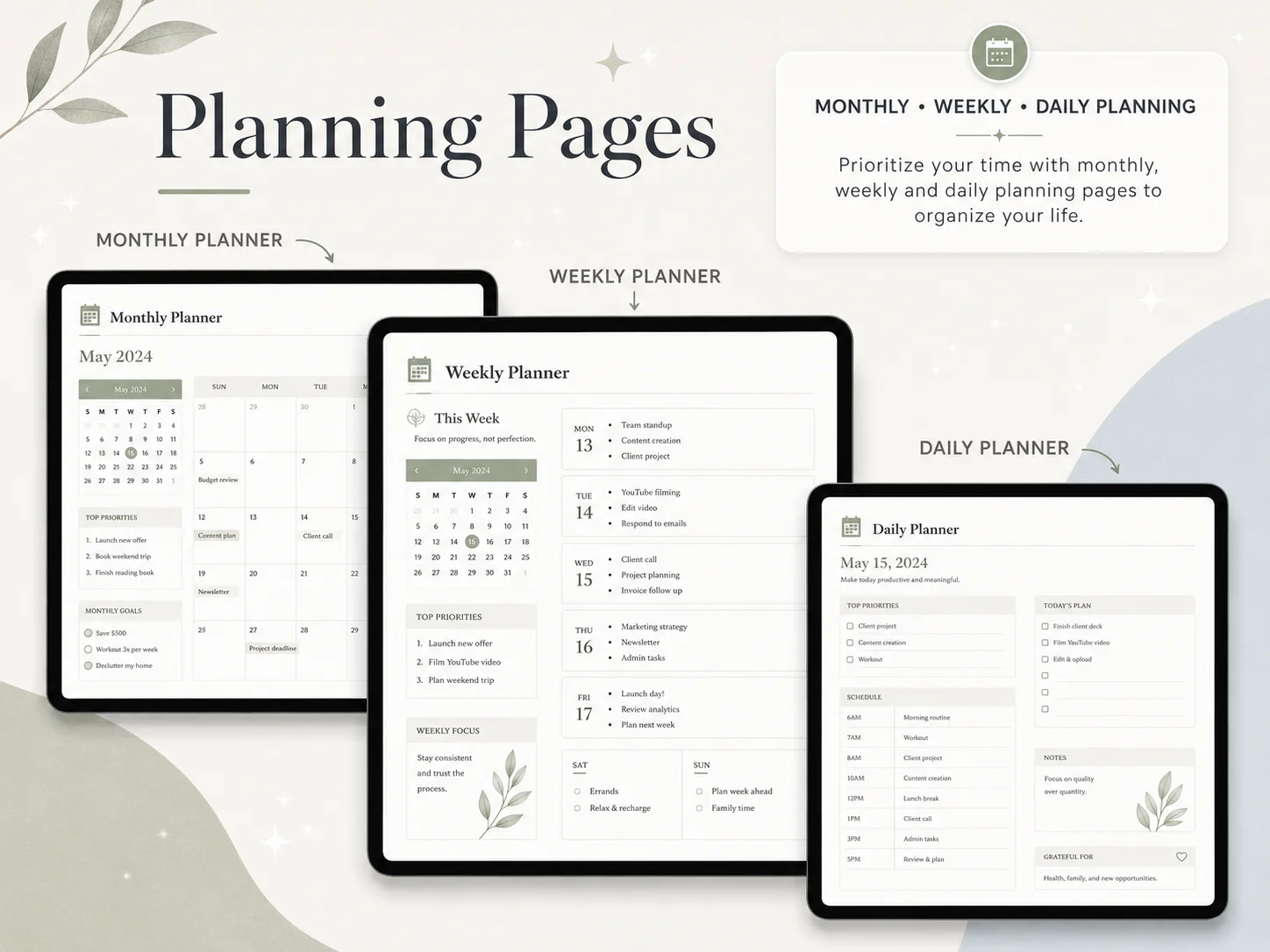
If you decide to keep Google Calendar, you can still make the week easier to scan. Use separate calendars for different kinds of events, then choose a view that leaves enough room for your appointments and tasks. If you want planning pages around those events, the Ultimate Notion Planner keeps month, week and day views together; its Google Calendar connection is a manual link, not an automatic two-way sync.
Booking links are a different tool
A booking page lets someone choose from the times you make available. Your personal calendar still stores the events. Google Calendar has appointment schedules, and services such as Calendly focus on booking links. Google notes that anyone with a booking-page link can view the page, so check its visibility before sharing it.
Use a booking tool if clients or colleagues need to pick a meeting slot without a chain of messages. Check which calendar it reads, what details a guest can see and whether the plan you choose includes the scheduling features you need. Calendly's current plans are one place to compare a booking service. If your main need is to remember your own appointments, stay with a calendar app.
Why trust this comparison
Ultimate Notion Planner by Cosmo Suite publishes this guide and sells the Notion template mentioned below. Our editorial policy explains how we check content, and the about page names the team behind the site. We reviewed official vendor help and plan pages on 19 October 2026. We did not test every app in a live migration, so use the switch test above with your own accounts before moving important events. Send corrections through our contact page.
How the Ultimate Notion Planner fits in
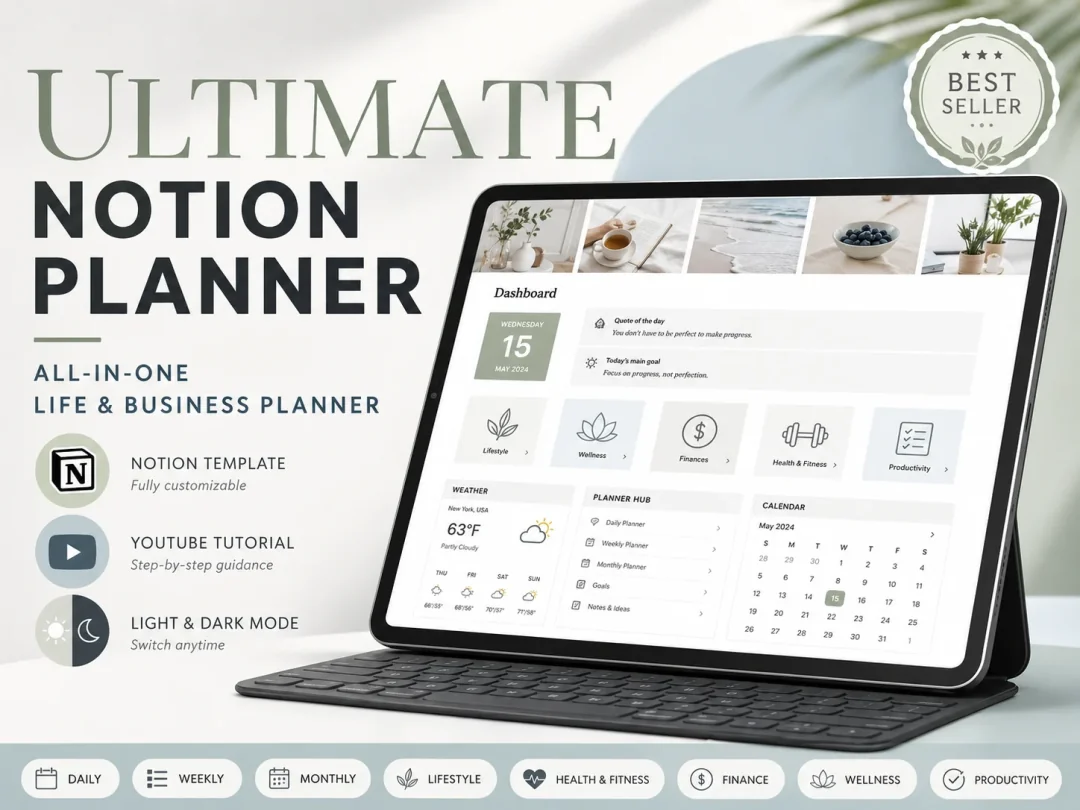
A Notion planner can organise tasks and plans around a calendar, but it is not a Google Calendar replacement. The Ultimate Notion Planner includes a central dashboard, daily, weekly and monthly planning pages, goal and habit tracking, finance and productivity trackers, light and dark themes, and a setup guide with a YouTube tutorial. Its Google Calendar connection is a manual URL link. It does not sync Google events through an API.
The template is duplicated into your own Notion account. If you already want Google Calendar to store appointments and only need a connected place to plan the week, see the Ultimate Notion Planner's calendar-first layout. It costs $9 once, separate from any Notion plan. If you want to leave Google's calendar service, choose and test a replacement service first.
Frequently asked questions
What is the best Google Calendar alternative?
Choose the option that fits your week. Apple Calendar suits an Apple-first setup, Proton Calendar focuses on encrypted event details, Outlook fits many Microsoft work calendars, and Cozi is built around a household schedule. If Google's layout is the only problem, try a different calendar app before moving your account.
Which Google Calendar alternative is best for privacy?
Proton Calendar is the clearest fit if encrypted event details matter most. Proton says event titles, descriptions, locations and invitees are protected with end-to-end encryption. Check its current sharing limits and the access your guests need.
What is a good shared family calendar?
Cozi is designed for family calendars and includes shared to-do and shopping lists. The free plan is ad-supported; Gold and Max add features for a yearly fee. Check the current plan details before moving everyone's schedule.
Is Calendly a replacement for Google Calendar?
No. Calendly lets someone choose a meeting time from your available slots. Keep a calendar service to store your schedule, and check how bookings sync before you rely on them.
Can I use another calendar app without moving my Google account?
Yes. Some calendar apps connect to Google and show those events in a different interface. Fantastical lists Google Calendar among its supported accounts. Your events stay with Google unless you move them to another service.
How do I switch calendars without losing events?
Start with a small copy. Check one repeating event, an invitation, a shared calendar, an imported calendar, and the phone and web views. Keep Google Calendar active until the new service shows the events and reminders you need.
Sources
- Apple Support: Share iCloud calendars on iPhone
- Proton Calendar: Features
- Microsoft Support: Share your calendar in Outlook on the web
- Flexibits: Fantastical pricing and features
- Cozi: Compare plans
- Cozi: Frequently asked questions
- Calendly: Pricing
- Google Calendar Help: Get started with Google Calendar
- Google Calendar Help: Share your calendar
- Google Calendar Help: Share your appointment schedule